Run a QBR that ends in decisions
A 15-slide quarterly business review template for PowerPoint and Google Slides. Notes on every slide tell you what goes there, what to ask and what to avoid.
Built to be filled in with AI: give Claude, ChatGPT or Copilot your notes, and the included prompts draft every slide.
Checkout opens soon. Get the free scorecard below and we'll tell you when the kit is ready.

Sixty minutes, and the customer does most of the talking
The kit includes a run-of-show for the whole meeting. The diagnosis gets the most time. The roadmap is the first thing you cut if you run short.
- You
- The customer
- Both
| Minutes | Block | Who talks most | Done when |
|---|---|---|---|
| 0–5 | Open and name the decisions you'll ask for | You | They know what they'll be asked to decide |
| 5–15 | Their goals and the scorecard | The customer | They've confirmed or corrected the goals |
| 15–30 | What's working, what isn't, and why | The customer | You agree on the cause, not just the symptom |
| 30–40 | Next quarter's goals and the roadmap | Both | Next quarter's goals are written down |
| 40–55 | Action plan and decisions | Both | Every action has an owner and a date |
| 55–60 | Recap | You | You've read back each decision and owner |
Most QBRs are a usage report with a logo on it
The vendor recites usage. The customer checks out. Nobody decides anything, and the real problem first comes up on the renewal call.
This kit runs the meeting the other way: diagnose before you prescribe.
Their goals
Start from what the customer told you they're trying to achieve, and score the quarter against it.
The diagnosis
Name what isn't working, what you think is causing it, and the evidence. Then let them correct you.
The decisions
Leave with decisions, owners and dates, read back out loud before anyone leaves.
What's in the kit
- 15 slides in meeting orderFrom the agenda to the decisions, plus an appendix for detail.
- Notes on every slideWhat goes there, what to ask, and the mistake to avoid.
- A prep timelineWhat to do from two weeks out to the day after.
- A 60-minute run-of-showWhere the time goes, and who should be talking.
- AI prompts that draft the deckSix prompts for Claude, ChatGPT, Gemini or Copilot. Paste in your notes and get a first draft of every slide.
- Your brand in one stepChange the theme colors and fonts once, and every slide follows.
- PowerPoint file, 16:9Opens in Google Slides. Every number is a placeholder you replace.


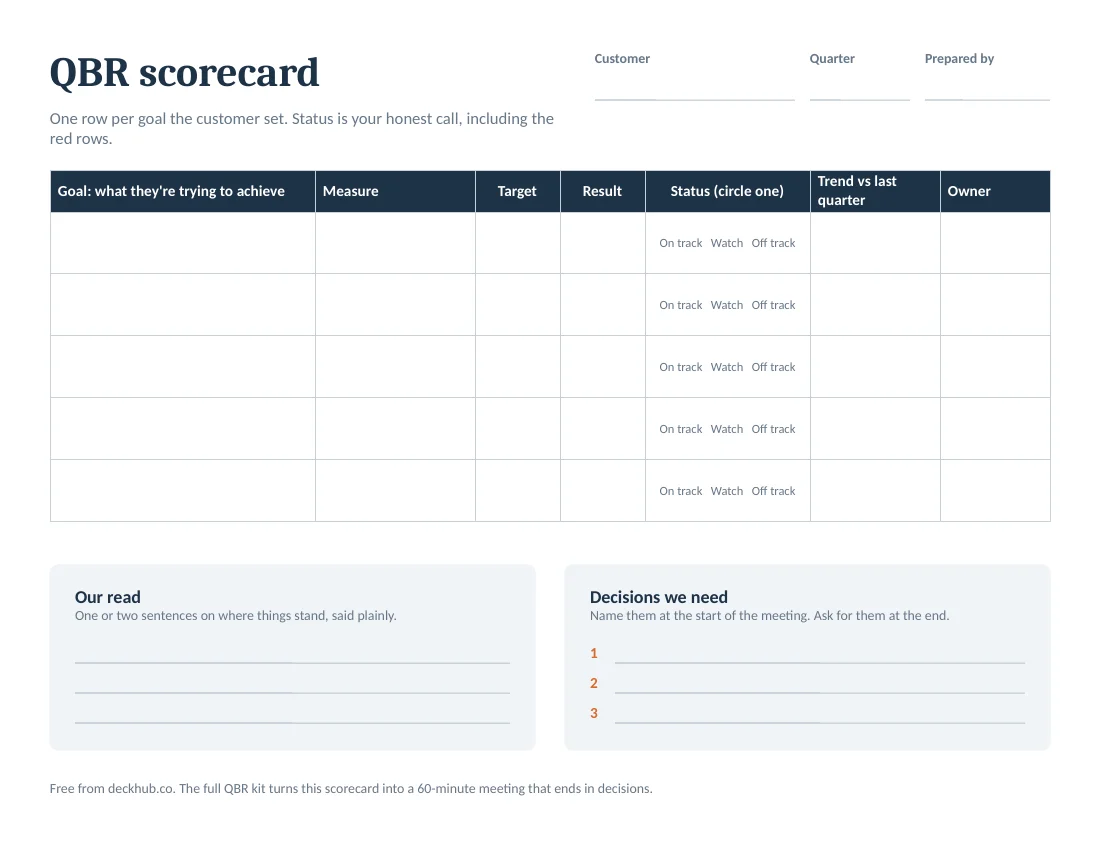
Start with the free scorecard
A one-page scorecard for your next QBR: one row per customer goal, an honest status for each, and the decisions you need.
Free guides and templates
Everything you need to run the meeting, whether or not you buy the kit.
- QBR templateThe free 5-slide starter deck, and all 15 slides of the kit.
- QBR examplesThree completed reviews: healthy, at risk and ready to expand.
- How to run a QBRThe prep timeline, the hour, and the step most templates skip.
- Fill in a QBR with AIA free prompt for ChatGPT, Claude or Copilot, and how to check its work.
- What is a QBR?What it means, who attends, and how it differs from an EBR.
- All guides and templatesSuccess plans, action plans, account plans, health scores and more.
Questions
What format is the kit?
A PowerPoint file (.pptx) in 16:9. To use it in Google Slides, upload it to Google Drive and open it with Slides.
Can I put my own brand on it?
Yes. Change the theme colors and fonts once under Design, then Variants, and every slide follows. Replace the footer text with your customer's name and quarter.
Who is it for?
Customer success managers, account managers and anyone who reviews a quarter with a customer. It also works for an internal business review: swap "your goals" for the team's goals.
Is the sample data real?
No. Every name and number on the slides is a placeholder in brackets, so you can see how a filled-in slide reads before you replace it with your own.
Can I use AI to fill it in?
Yes. Every placeholder is in brackets and every slide's notes say what belongs there, so an AI assistant can read the file. The kit includes six prompts: the main one drafts all 15 slides from your notes and marks anything it doesn't know instead of guessing. See how it works.
What if it isn't right for me?
Reply to your receipt within 30 days and we'll refund you.
Is there a free version?
Yes. The starter deck is five slides from the kit with their notes, and you don't need to give an email address. The one-page scorecard is free too.
What's different from a free QBR template?
Free templates give you slides. This kit gives you a way to run the meeting: the order, the time, the questions to ask on each slide, and a diagnosis step that most templates skip.